- Field Service Management (FSM)
- HVAC Software
- Praxedo vs Jobber
Praxedo vs. Jobber for HVAC: Choosing the Right FSM as Your Team and Job Volume Grow (2026)
Praxedo vs. Jobber for HVAC comes down to operational fit. Jobber combines quoting, scheduling, invoicing, payments, and customer communication in one home-service platform. Praxedo emphasizes configurable field workflows, constraint-based scheduling, offline field execution, and ERP or CRM connectivity for complex service operations.
KEY TAKEAWAYS
- Jobber is worth evaluating for HVAC businesses that prioritize a connected quote-to-payment workflow, online booking, customer communication, and a self-serve product trial.
- Praxedo may be better aligned when dispatch requirements include technician skills, service priorities, locations, contract rules, and frequent schedule changes.
- Both platforms support scheduling, field mobility, customer communication, and integrations, but they organize those capabilities around different operating models.
- There is no universal technician-count threshold for switching; the stronger signal is whether dispatchers rely on manual workarounds to manage complexity the current platform cannot absorb.
Praxedo vs. Jobber for HVAC: What Each Platform Is Built For
The Praxedo vs. Jobber for HVAC decision is a choice between an all-in-one home-service business platform and a purpose-built field service management platform with extensive field-workflow configuration options.
A purpose-built field service management platform is software designed specifically to plan, execute, and document field work rather than treating field service as one function inside a broader business tool.
Jobber positions its HVAC software around the customer and revenue workflow: estimates, scheduling, dispatch, job costing, invoicing, payments, and follow-up. That can suit owner-led and growing HVAC companies that want one system to organize the front office and the field without a highly configured implementation.
Praxedo centers the decision on field execution. Its HVAC and refrigeration field service management solution emphasizes intelligent scheduling, work-order control, technician mobility, contractual commitments, and real-time operational visibility. It is designed to connect with a broader business system rather than replace every sales, accounting, or ERP function.
Neither model is automatically better. Jobber may be worth prioritizing when a standardized, all-in-one workflow and self-serve evaluation matter. Praxedo becomes more relevant when software must adapt to how you dispatch, document, integrate, and scale.
Quick Fit Comparison
|
Decision area |
Jobber |
Praxedo |
|
Primary emphasis |
Connected home-service workflow from quote through payment |
Configurable field execution connected to back-office systems |
|
Scheduling |
Calendar, availability, map, and route-optimization tools; availability varies by plan |
Manual and criteria-based scheduling, SmartScheduler, and real-time automation; availability varies by tier/add-on |
|
Mobile and offline |
Offline timers, forms/checklists, notes, attachments, and later sync; validate exact workflows and plan eligibility |
Offline schedules and job details, work-order completion, comments, signatures, and later sync; validate exact workflows and package |
|
Customer experience |
Client Hub, online booking, reminders, quotes, invoices, and payments |
Customer and Appointment Portals focused on service visibility and scheduling; priced add-ons |
|
Integration model |
Accounting integrations, app marketplace, and GraphQL API |
Pre-built Business Central, Salesforce, and QuickBooks connectors plus open APIs |
|
Best evaluation signal |
Straightforward service and revenue workflow |
Operational complexity, configuration, and system-of-record integration |
Feature availability and plan packaging were reviewed on August 5, 2026 and can change. Validate current requirements, plan eligibility, integration direction, and offline workflows with both vendors before publication and purchase.
Scheduling Intelligence in Praxedo vs. Jobber for HVAC
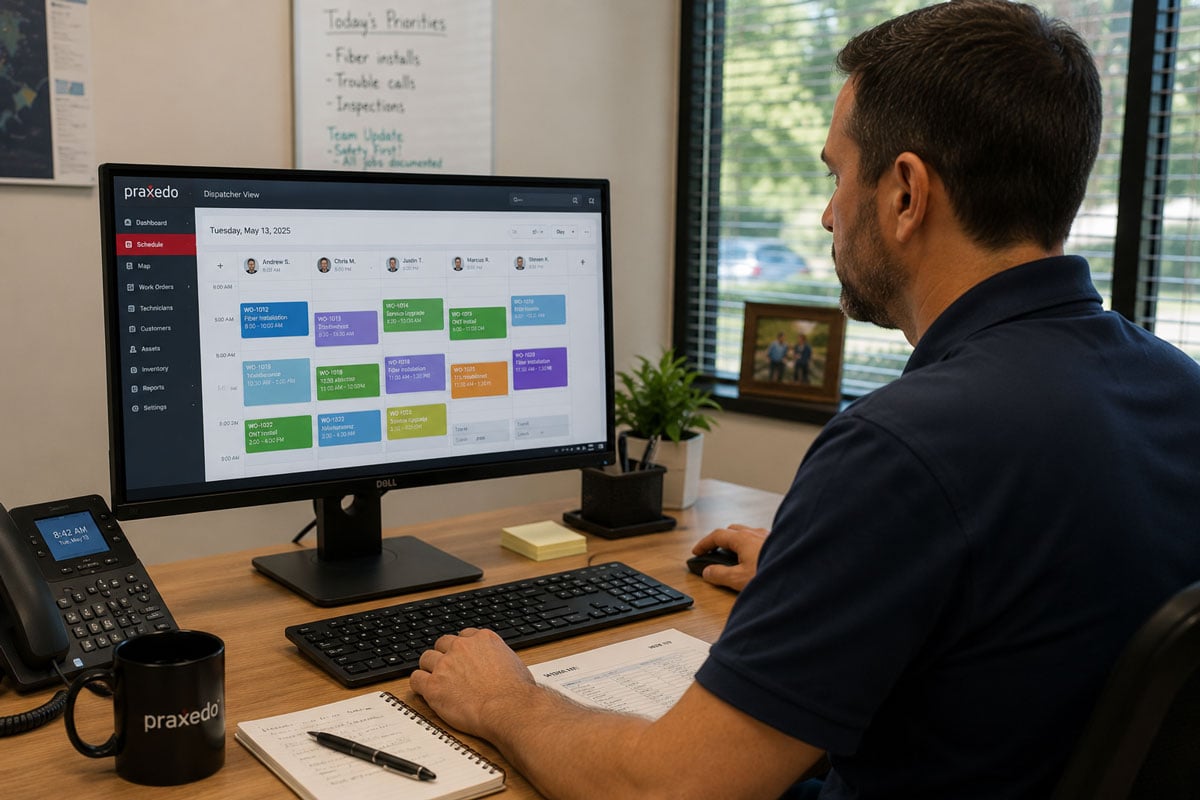
Both products provide scheduling and route tools. Praxedo publishes manual planning, criteria-based appointment booking, SmartScheduler, and real-time Automatic SmartScheduler. Jobber publishes calendar, availability, map, and route-optimization tools, with availability varying by plan.
Jobber’s HVAC offering includes a drag-and-drop calendar, route optimization, GPS-based visibility, team notifications, and tools for finding available appointment times. Availability varies by plan. These capabilities are designed to reduce manual route ordering and routine schedule-management work for relatively consistent service patterns.
Praxedo supports manual scheduling, criteria-based appointment booking, SmartScheduler for algorithm-assisted route and workload optimization, and Automatic SmartScheduler for real-time AI-powered scheduling on the appropriate plan or add-on. The distinction matters when a dispatcher must weigh skills, travel distance, availability, service urgency, and operational constraints at the same time.
A useful scaling test is not simply how many technicians you employ. Ask whether dispatchers rebuild the schedule repeatedly, emergency calls regularly displace maintenance work, commercial and residential jobs require different rules, or the right assignment depends on more than who is free. Those conditions make scheduling logic more important than basic calendar usability.
Mobile continuity deserves the same scrutiny. Jobber documents offline timers, forms or checklists, notes, attachments, and later synchronization. Praxedo documents offline schedules and job details, work-order completion, comments, and signatures before synchronization. Buyers should test their technicians’ exact offline workflows.
Customer Communication and Portal Features Side by Side
Jobber brings customer-facing sales, payment, and communication tools into a single operating flow, while Praxedo emphasizes visibility and self-service around the service appointment and completed work.
Jobber Client Hub lets customers review quotes, appointments, invoices, receipts, and payment requests. Jobber also supports online booking, reminders, on-my-way messages, and follow-up workflows, with availability varying by plan. This supports a connected workflow from lead intake and quote approval through invoicing and payment.
Praxedo approaches customer experience from the service-execution side. Its Customer Portal can provide work-order visibility, documents, and service reports, while the Appointment Portal can offer self-scheduling or rescheduling with suggested time slots based on availability and travel time. Both portals are priced add-ons, so buyers should confirm the required package.
The better fit depends on what customers need from your service model. Residential teams may place more value on quote approval and payment convenience. Commercial HVAC providers may place more value on work-order status, service documentation, asset history, and visibility across recurring maintenance commitments.
ERP and Accounting Integration Depth for HVAC Operations
Jobber is oriented toward small-business accounting and an app ecosystem, while Praxedo is designed to act as a field execution layer connected to ERP, CRM, and accounting systems.
Jobber supports QuickBooks Online and Xero connections, an app marketplace, and a GraphQL API for approved integrations. This can be a practical setup for an HVAC company whose operational and financial workflow is centered on small-business accounting and connected point solutions.
Praxedo offers ERP, CRM, and accounting integrations through pre-built connectors for Microsoft Dynamics 365 Business Central, Salesforce, and QuickBooks, plus open APIs and other connector options. That model can reduce duplicate entry when customer, asset, inventory, contract, or billing data is mapped and synchronized between a system of record and the field platform.
Integration depth becomes a deciding factor when an HVAC company adds commercial contracts, multiple branches, complex inventory, or a formal ERP. The key question is no longer whether an integration exists. It is which data moves, in which direction, how exceptions are handled, and who maintains the connection after go-live.
Praxedo vs. Jobber for HVAC: Which Platform Fits Your Growth Stage?
Prioritize Jobber in the evaluation when you want quoting, scheduling, customer communication, invoicing, and payments in a standardized workflow and your dispatch rules remain relatively straightforward.
Prioritize Praxedo when field-operation complexity constrains growth and requirements include configurable scheduling, offline execution, or back-office integration. Common triggers include multiple service regions, commercial maintenance contracts, technician qualifications, low-connectivity sites, complex work-order forms, ERP integration, and frequently changing schedules.
Illustrative scenario: a 10-technician residential HVAC company may get more immediate value from Jobber’s integrated sales-to-payment workflow. The same company may reassess after adding commercial preventive maintenance, separate install and service crews, multiple dispatch zones, and an ERP. The decision changes because the operation changes, not because either vendor becomes universally right or wrong at a specific headcount.
According to a Praxedo-published customer story, DRF Water Heating Solutions – an adjacent 20-technician home-service operation serving 14 states – reported a 25% increase in operational efficiency and said onboarding that once took months was reduced to weeks. This self-reported result is specific to DRF and is not a guarantee of typical performance.
Making the Switch: What Migration from Jobber to Praxedo Actually Looks Like
A migration from Jobber to Praxedo should be treated as an operational redesign, not a simple software export and import.
On select plans, Jobber lets admin users export client information in CSV or vCard format. That provides a starting point for customer and property data, but migration scope for jobs, notes, attachments, forms, financial history, and work-order records depends on availability, access needs, and the target Praxedo configuration.
A practical migration follows four steps: inventory the data and integrations you use today; define future work-order types, forms, skills, and scheduling rules; test a representative data set and a small technician group; then phase the rollout with dispatcher and field-team feedback. Historical records that do not drive daily operations can remain archived rather than being forced into the new platform.
Before switching, ask both vendors to demonstrate your real HVAC workflows. Use emergency service, recurring maintenance, a multi-technician installation, a no-signal job site, a parts exception, and an invoice handoff. A generic demo can make two platforms look similar. Your actual operating exceptions will reveal the difference.
Frequently Asked Questions
Is Jobber suitable for an HVAC company that runs both residential service and commercial maintenance contracts?
Yes, Jobber can support residential jobs and recurring commercial work when scheduling, documentation, and billing requirements remain manageable within its workflow. Evaluate contract response times, asset histories, technician qualifications, reporting, and integrations. If commercial obligations require highly configurable work orders or deeper ERP coordination, compare those scenarios directly with Praxedo.
What is the scheduling complexity threshold where Jobber stops being sufficient for HVAC operations?
There is no reliable universal technician-count threshold. Stronger indicators are repeated manual schedule rebuilding, multiple dispatch zones, frequent emergency interruptions, skill- or certification-dependent assignments, contractual priorities, and workarounds outside the platform. When those conditions become routine, test whether a more configurable scheduling engine reduces dispatcher effort.
How is Praxedo’s AI scheduling designed to reduce drive time and help teams complete more jobs per day?
Praxedo’s scheduling tools are designed to evaluate travel distance and operational constraints when proposing or continuously adjusting assignments. SmartScheduler provides assisted optimization, while Automatic SmartScheduler adds real-time automation on the appropriate plan or add-on. Actual gains depend on job density, data quality, territory design, and configured scheduling rules.
Can an HVAC company import its Jobber customer and job history into Praxedo when switching?
Customer data can be exported from Jobber, but a complete history transfer should not be assumed. Praxedo and the implementation team should map which customer, property, asset, job, document, and financial records can be migrated and which should remain in an archive. Complete a test migration before the production cutover.

Our similar articles.
-
- Field Service Management (FSM)
- Plumbing Emergency Dispatch
- Plumbing Scheduling
Plumbing Emergency Dispatch: Protect Scheduled Maintenance with FSM Software
August 19, 2026
-
- Field Service Management (FSM)
- Dispatch Management
- FSM Software Cost
How to Calculate the Full Estimated Per-Job Cost of Spreadsheet Dispatch vs. FSM Software
August 17, 2026
-
- Field Service Management (FSM)
- Telecom Field Service
- CRM vs FSM
FSM vs. CRM for Telecom Field Service: A Decision Guide for Telecom Operations Leaders
August 17, 2026